
Shopping
ShrinkLog: catch shrinkflation at the shelf
Two packs, two prices, two sizes. ShrinkLog tells you which is actually cheaper before either goes in the basket.
Open ShrinkLogWhat it does
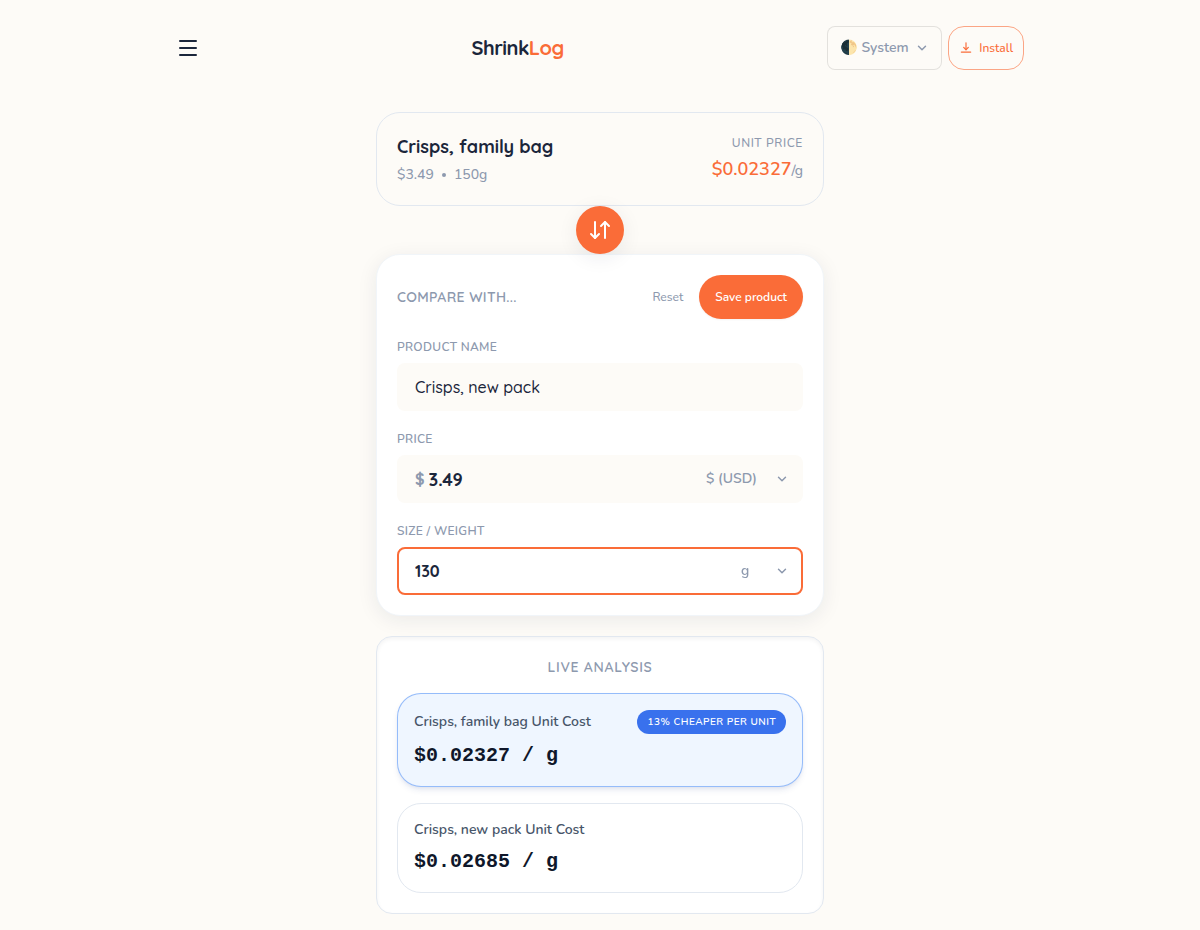
Type the price and the size and the price per unit appears as you type: per gram, per millilitre, per ounce or per item, in any of eight currencies and nine units. That one number is what makes two packs comparable when one is 150 g and the other 130 g at the same price.
Tap “Compare with another” and a second item lines up beside the first, with the cheaper one marked and the gap shown as a percentage. Save a product and it is remembered, so when the pack quietly loses twenty grams next season you still have the old figure to hold it against.
How to use it
- Open ShrinkLog at the shelf and type the product’s price and size.
- Read the price per unit — it recalculates as you type.
- Tap “Compare with another” and enter the second pack.
- The cheaper one is marked, with the difference as a percentage.
- Save the product, and next time you have something to compare against.
What makes it different
It is built for the aisle, not the desk. It opens instantly, works with no connection and installs to the home screen, so a shop in a basement with no signal changes nothing.
There is an optional photo scan that reads a price tag with Google Gemini using your own free key, and the app is unusually straight about it: it scans one price tag and never a receipt, it warns that a free key lets Google keep the photo for training, and it says plainly that typing by hand always works and sends nothing anywhere.
Questions
- Does it work offline?
- Yes. After the first visit it runs without a connection and can be installed to the home screen, which matters in a shop where the signal disappears.
- Which units and currencies does it handle?
- Grams, kilograms, millilitres, litres, ounces, fluid ounces, pounds, quarts and plain count, priced in any of eight currencies.
- Does the photo scan send my photo somewhere?
- Yes, to Google — that is what makes it work, and it only happens when you switch it on with your own key. It scans a shelf price tag and never a receipt, and the app warns that a free key lets Google use the image. Typing prices by hand sends nothing at all.
- Where are saved products kept?
- In your browser on that device. Nothing goes to a server, so clearing the site’s data removes them and there is no backup to restore from.